

How to setup your trade copier and trade smarter not harder, a life changing thread 🧵
1/ Install Ninja trader
avail on Windows only so if you have a Mac you need to download the Microsoft Desktop App
no parallels needed
The desktop app uses WAY less ram than parallels
1/ Install Ninja trader
avail on Windows only so if you have a Mac you need to download the Microsoft Desktop App
no parallels needed
The desktop app uses WAY less ram than parallels

2/ ure allowed 1 rithmic and unlimited tradovate per Ninja
ps: topstep is the only one that dont connect tradovate to Ninja so youll need to pick rithmic
All others you can pick tradovate when available, although I was recommend to always go with rithmic when avail
ps: topstep is the only one that dont connect tradovate to Ninja so youll need to pick rithmic
All others you can pick tradovate when available, although I was recommend to always go with rithmic when avail
3/ On Ninja connect your account
Connections, configure, double click on rithmic or ninja (for tradovate) in order to enter your info
4/ Buy and install Replikanto (link at the end of this thread + use the code pepethuglife20 for 20% off)
Connections, configure, double click on rithmic or ninja (for tradovate) in order to enter your info
4/ Buy and install Replikanto (link at the end of this thread + use the code pepethuglife20 for 20% off)
5/ Once installed you pick the leader account and toggle the follower accounts
untoggle when just want to trade 1 acc for exemple I change the ratio number if I have different contracts amounts for different accounts, if not leave all on 1 or whatever
untoggle when just want to trade 1 acc for exemple I change the ratio number if I have different contracts amounts for different accounts, if not leave all on 1 or whatever
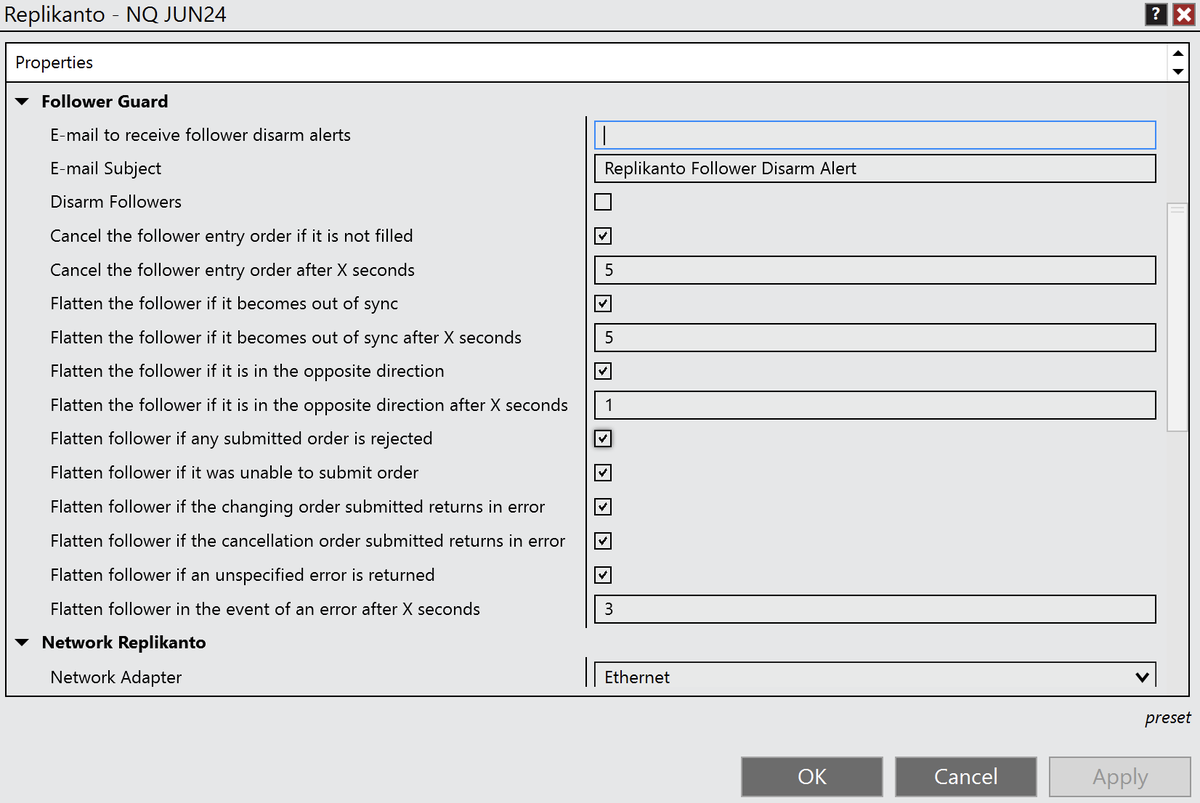
6/ On Replikanto, right click, properties
On this pic you'll find the best recommended Follower Guard settings
Rodolfo at FlowBots helped me with those
Note that its best to put 25 instead of 5 at out of sync if using more than 5/10 cons per account
On this pic you'll find the best recommended Follower Guard settings
Rodolfo at FlowBots helped me with those
Note that its best to put 25 instead of 5 at out of sync if using more than 5/10 cons per account
7/ Now you're all set
UNLESS you need to add more rithmic accounts
In that case you'll need 1 VPS per new rithmic
In order to buy some I can't recommend Ninjamobiletrader enough (link at the end of this thread + use the code PEPE20 for 20% off)
UNLESS you need to add more rithmic accounts
In that case you'll need 1 VPS per new rithmic
In order to buy some I can't recommend Ninjamobiletrader enough (link at the end of this thread + use the code PEPE20 for 20% off)

*1*/ I forgot to mention that you'll need a VPS too right from the get go in order to run that initial main Ninja if you're on Mac Book If on windows no need for that first one
8-1/ Open remote desktop app if on Mac Book or just a remote desktop if on windows
Run that VPS there
Open Ninja Connect to that second rithmic account etc
You'll need to buy an additional machine w Replikanto (link at the end of this thread + use the code pepethuglife10
Run that VPS there
Open Ninja Connect to that second rithmic account etc
You'll need to buy an additional machine w Replikanto (link at the end of this thread + use the code pepethuglife10

8-2/ the code pepethuglife10 for 10% off all additional machines
You'll need 1 VPS + 1 Replikanto additional machine PER Ninja trader that runs a rithmic account
9/ Now decide which one of your Ninja is the leader and which is the follower(s)
You'll need 1 VPS + 1 Replikanto additional machine PER Ninja trader that runs a rithmic account
9/ Now decide which one of your Ninja is the leader and which is the follower(s)
10/ On the follower(s) on Replikanto right click, select Network Node Mode (Local Network)
Make sure to have that box checked
Now you input the IP address you have on that follower's Replikanto into the Replikanto Nodes on the MAIN Ninja Replikanto
Make sure to have that box checked
Now you input the IP address you have on that follower's Replikanto into the Replikanto Nodes on the MAIN Ninja Replikanto
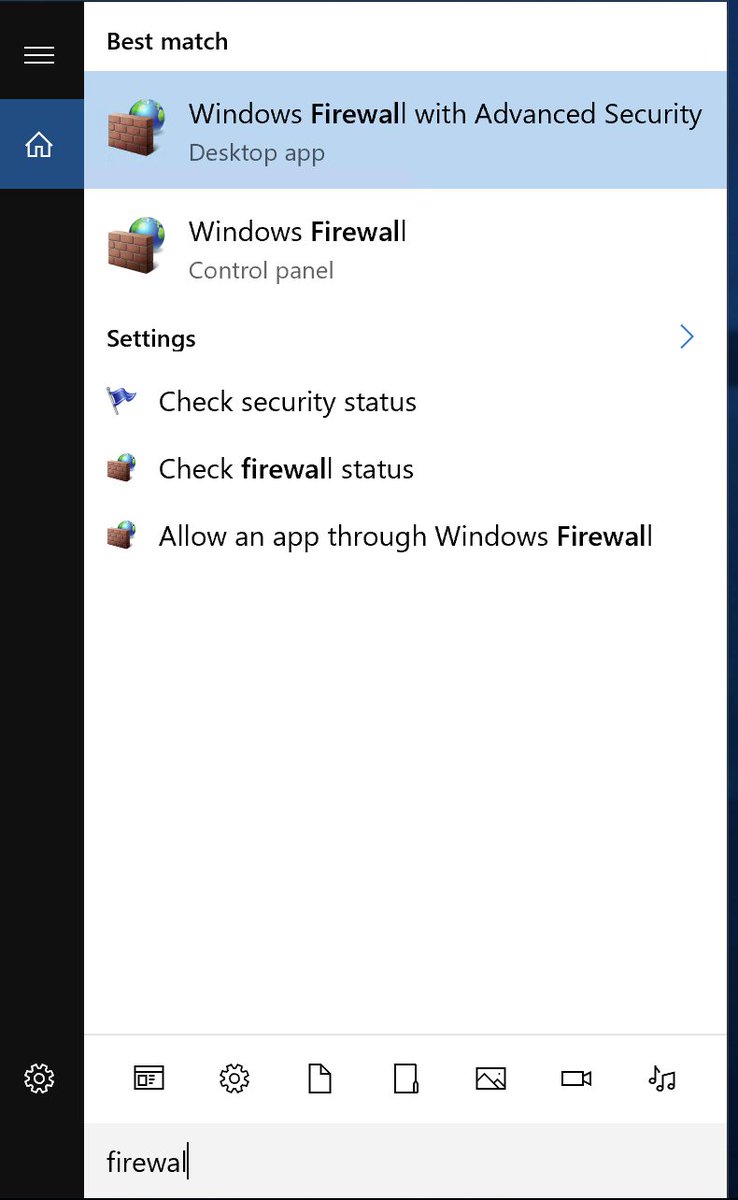
11/ Now you need to setup the windows Firewall properly (wether it be on your regular windows or on your microsoft remote desktop app if you're on Mac)
ps: Need to setup the firewall on all VPS Replikanto sends instructions on how to do so when you purchase
ps: Need to setup the firewall on all VPS Replikanto sends instructions on how to do so when you purchase
12/ Now you should be good to go
EXCEPT ONE LAST THING
NONE OF THIS IS FINANCIAL ADVICE I AM NOT A FINANCIAL ADVISOR NOR I AM RESPONSIBLE FOR YOUR TRADES IM LITERALLY AN ANON ONLINE THAT GOES BY PEPETHUGLIFE AND ROCKING A FROG AS PFP
YOU DO YOU BIG DAWG
EXCEPT ONE LAST THING
NONE OF THIS IS FINANCIAL ADVICE I AM NOT A FINANCIAL ADVISOR NOR I AM RESPONSIBLE FOR YOUR TRADES IM LITERALLY AN ANON ONLINE THAT GOES BY PEPETHUGLIFE AND ROCKING A FROG AS PFP
YOU DO YOU BIG DAWG

13/ Here are my ref links to Ninja mobile trader & Replikanto, that will give you 20% off on each
- PEPE20 code for the vps
- pepethuglife20 code the main replikanto machine
- pepethuglife10 code for any replikanto additional machine
- PEPE20 code for the vps
- pepethuglife20 code the main replikanto machine
- pepethuglife10 code for any replikanto additional machine

14/ Lastly I'd like to thank both Andrew at Ninjamobile and Rodolfo at Replikanto
Both helped me get setup as I am not tech savy AT ALL and bombarded them w dozens of emails daily for literally 2 weeks and they've been AMAZING 🙏🙏
Both helped me get setup as I am not tech savy AT ALL and bombarded them w dozens of emails daily for literally 2 weeks and they've been AMAZING 🙏🙏

15/ email them if needed they're the best
but I'd like to think that I've given a pretty clear and easy step by step 🤷♂️
like comment and retweet to help a trader that might be looking to scale his trading all while working smarter and not harder
Best,
Pepe The Third 🏴☠️
but I'd like to think that I've given a pretty clear and easy step by step 🤷♂️
like comment and retweet to help a trader that might be looking to scale his trading all while working smarter and not harder
Best,
Pepe The Third 🏴☠️

16/ LAST BUT NOT LEAST
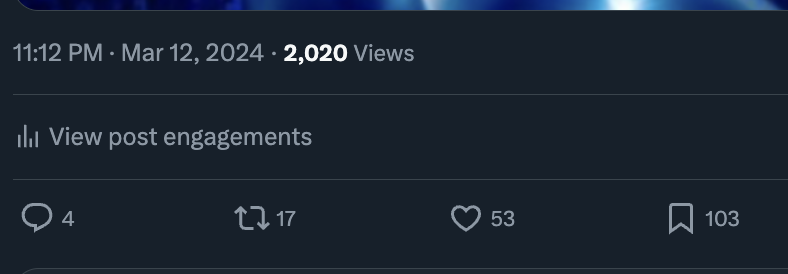
Posted 15 minutes ago and you already know that most these f**ers don't deserve s*** by looking at that bookmark to like ratio
BUT ITS AIGHT
IM HEADING BACK TO OBLIVION
🫶
Posted 15 minutes ago and you already know that most these f**ers don't deserve s*** by looking at that bookmark to like ratio
BUT ITS AIGHT
IM HEADING BACK TO OBLIVION
🫶
Loading suggestions...