

🚨Breaking News:
The AI music generator is here.
Simply describe any sound to this AI, and it will make it for you.
Here's how (3 easy steps):👇
The AI music generator is here.
Simply describe any sound to this AI, and it will make it for you.
Here's how (3 easy steps):👇

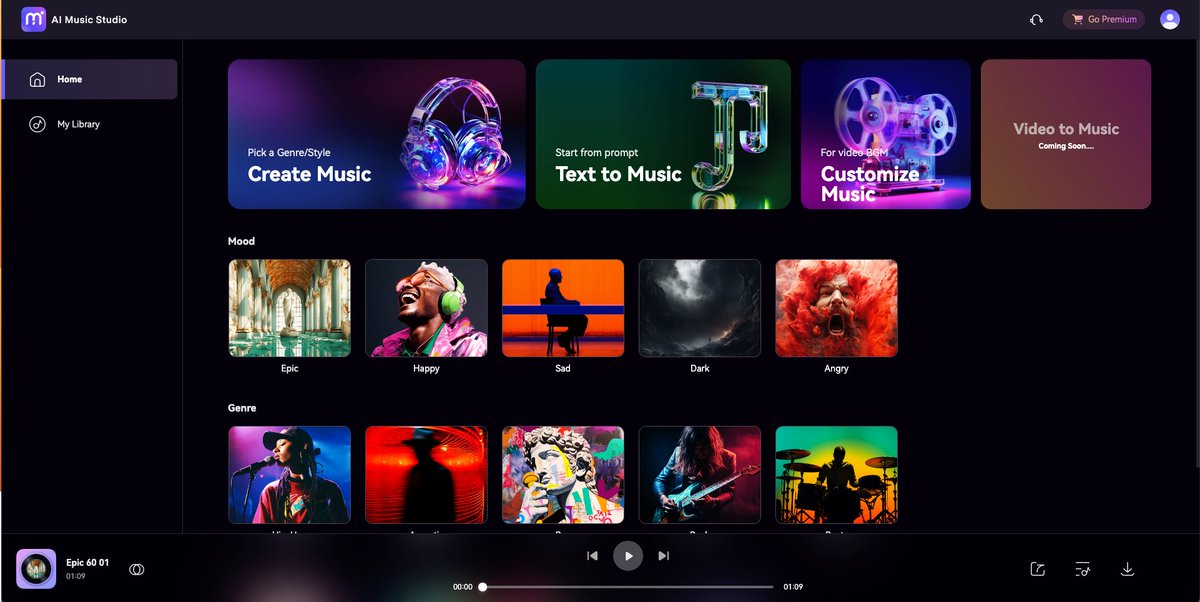
✋🏿Introducing media.io AI Music Generator.
🟢 Create music that matches your mood with AI.
🟢 Make and use music for free online. Add it to your videos for an instant boost. Do it in 3 easy steps.👇
🟢 Create music that matches your mood with AI.
🟢 Make and use music for free online. Add it to your videos for an instant boost. Do it in 3 easy steps.👇

✋🏿Step 1: Go to media.io and Upload Your Video:
🟢 Click the Upload Video button to upload the video you want to customize the BGM for.
🟢 Click the Upload Video button to upload the video you want to customize the BGM for.

✋🏿Step 2: Customize Video BGM with AI:
🟢 Select Mood and Theme tags, click "Create Music," and wait for AI to make unique background music for your video.
🟢 Select Mood and Theme tags, click "Create Music," and wait for AI to make unique background music for your video.

✋🏿Step 3: Download the Generated Music:
🟢 Click the Apply button to import the generated music into the video, and then download this video with the customized BGM.
🟢 Click the Apply button to import the generated music into the video, and then download this video with the customized BGM.

✋🏿You can add music to any videos you like, making them better and bringing your silent videos to life with this AI tool.

✋🏿I really suggest trying this AI tool if you want to bring life to your soundless videos.
🎉Try this AI Music Generator today → media.io
🎉Try this AI Music Generator today → media.io
✋🏿Bonus Tip: For content creators and social media marketers, check out Wondershare's @WS_UniConverter.
🟢 It's a full video toolkit allowing you to edit, compress & more.
🟢 Try now for free here: bit.ly
🟢 It's a full video toolkit allowing you to edit, compress & more.
🟢 Try now for free here: bit.ly


I hope you've found this thread helpful.
Follow me @LearnWithBishal for more of these 🔔
I'd appreciate it if you could like/retweet to support my content
x.com
Follow me @LearnWithBishal for more of these 🔔
I'd appreciate it if you could like/retweet to support my content
x.com
Loading suggestions...