

HTML Tips🔥
Open this🧵
Open this🧵
🎯Accept Attribute
You can use the accept attribute with the <input> element (only for file type) to specify the types of files a server can accept.
You can use the accept attribute with the <input> element (only for file type) to specify the types of files a server can accept.

🎯Alt Attribute
The alt attribute with the <img> element can be used to specify an alternate text in case the image can’t be displayed on the web page.
The alt attribute with the <img> element can be used to specify an alternate text in case the image can’t be displayed on the web page.

🎯Autocomplete Attribute
The autocomplete attribute can be used with the <form>, <input> and <textarea> elements to control the browser’s autocomplete feature.
The autocomplete attribute can be used with the <form>, <input> and <textarea> elements to control the browser’s autocomplete feature.

🎯Contenteditable Attribute
You can use the contenteditable attribute to specify whether the element’s content is editable or not. It allows users to modify the content within the element.
This is a global attribute which means you can use this attribute with all HTML elements.
You can use the contenteditable attribute to specify whether the element’s content is editable or not. It allows users to modify the content within the element.
This is a global attribute which means you can use this attribute with all HTML elements.

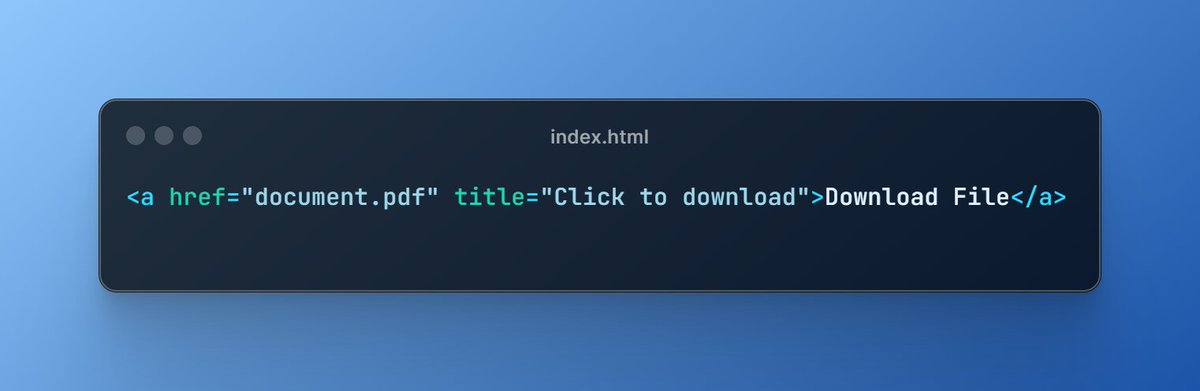
🎯Download Attribute
You can use the download attribute with the <a> element to specify that when a user clicks the link, the linked resource should be downloaded rather than navigated to.
You can use the download attribute with the <a> element to specify that when a user clicks the link, the linked resource should be downloaded rather than navigated to.

🎯Hidden Attribute
You can use the hidden attribute to hide the element on the web page. This is useful for controlling visibility through JavaScript or CSS.
This is a global attribute.
You can use the hidden attribute to hide the element on the web page. This is useful for controlling visibility through JavaScript or CSS.
This is a global attribute.

🎯Loading Attribute
The loading attribute can be used with the <img> element to control how the browser loads the image. It has three values: “eager,” “lazy,” and “auto.”
The loading attribute can be used with the <img> element to control how the browser loads the image. It has three values: “eager,” “lazy,” and “auto.”

🎯Multiple Attribute
The multiple attribute can be used with the <input> and <select> elements to allow users to select/enter multiple values at once.
The multiple attribute can be used with the <input> and <select> elements to allow users to select/enter multiple values at once.

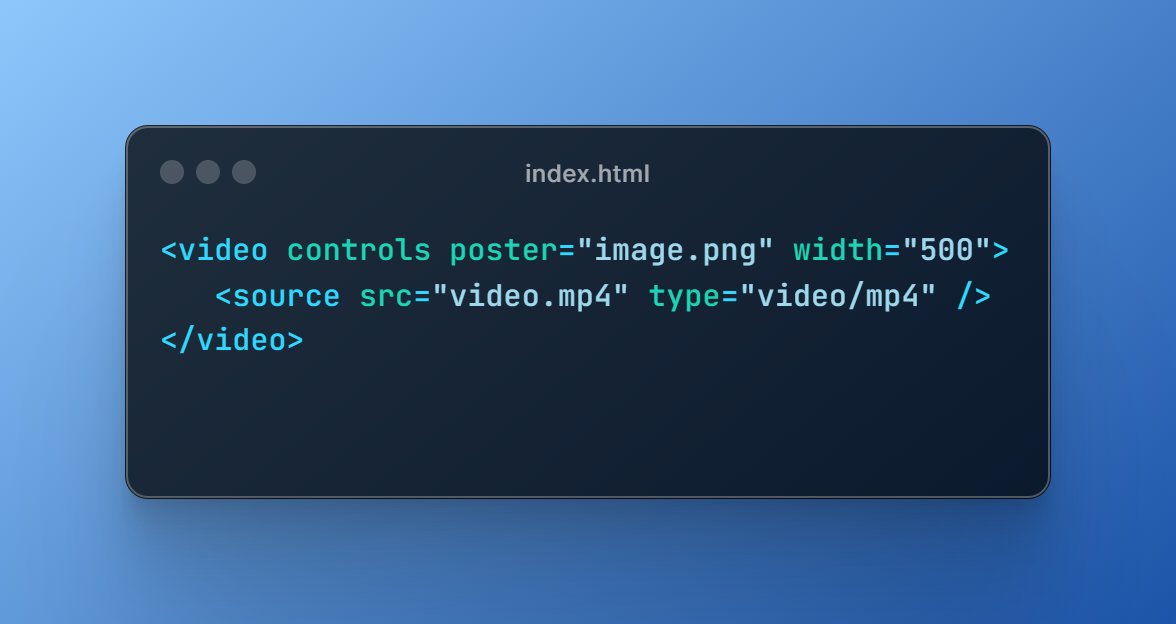
🎯Poster Attribute
You can use the poster attribute with the <video> element to display an image until the user plays the video.
It's like a thumbnail for the video.
You can use the poster attribute with the <video> element to display an image until the user plays the video.
It's like a thumbnail for the video.
🎯Readonly Attribute
You can use the readonly attribute with the <input> element to specify that the element is read-only, not editable.
You can use the readonly attribute with the <input> element to specify that the element is read-only, not editable.

🎯Srcset Attribute
The srcset attribute is used with the <img> and <source> (in <picture>) elements to provide a list of image sources. This helps the browser to select different images for different screen sizes.
The srcset attribute is used with the <img> and <source> (in <picture>) elements to provide a list of image sources. This helps the browser to select different images for different screen sizes.

🎯Spellcheck Attribute
You can use the spellcheck attribute with <input> elements (not passwords), content-editable elements, and <textarea> element to enable or disable spell checking by the browser.
You can use the spellcheck attribute with <input> elements (not passwords), content-editable elements, and <textarea> element to enable or disable spell checking by the browser.

🎯Title Attribute
You can use the title attribute to provide additional information about an element. This information is typically displayed when the user hovers over the element.
You can use the title attribute to provide additional information about an element. This information is typically displayed when the user hovers over the element.
Check out cssnippets for various CSS buttons, cards, input fields, loading spinners and more.
cssnippets.shefali.dev
cssnippets.shefali.dev
That's a wrap.
Thanks for checking out.
If you find this thread helpful, then consider:
❤️Like
✅Follow me @Shefali__J for more content like this.
🔁Repost the below quote👇
Thanks for checking out.
If you find this thread helpful, then consider:
❤️Like
✅Follow me @Shefali__J for more content like this.
🔁Repost the below quote👇
Loading suggestions...