

4. The () operator
You use parentheses to combine boolean operators or multiply the effect of an operator across several keywords.
E.g if I wanted to find crypto writing jobs and script writing jobs and also social media writing jobs.
Writer AND (script OR crypto OR “social media”)
The results:
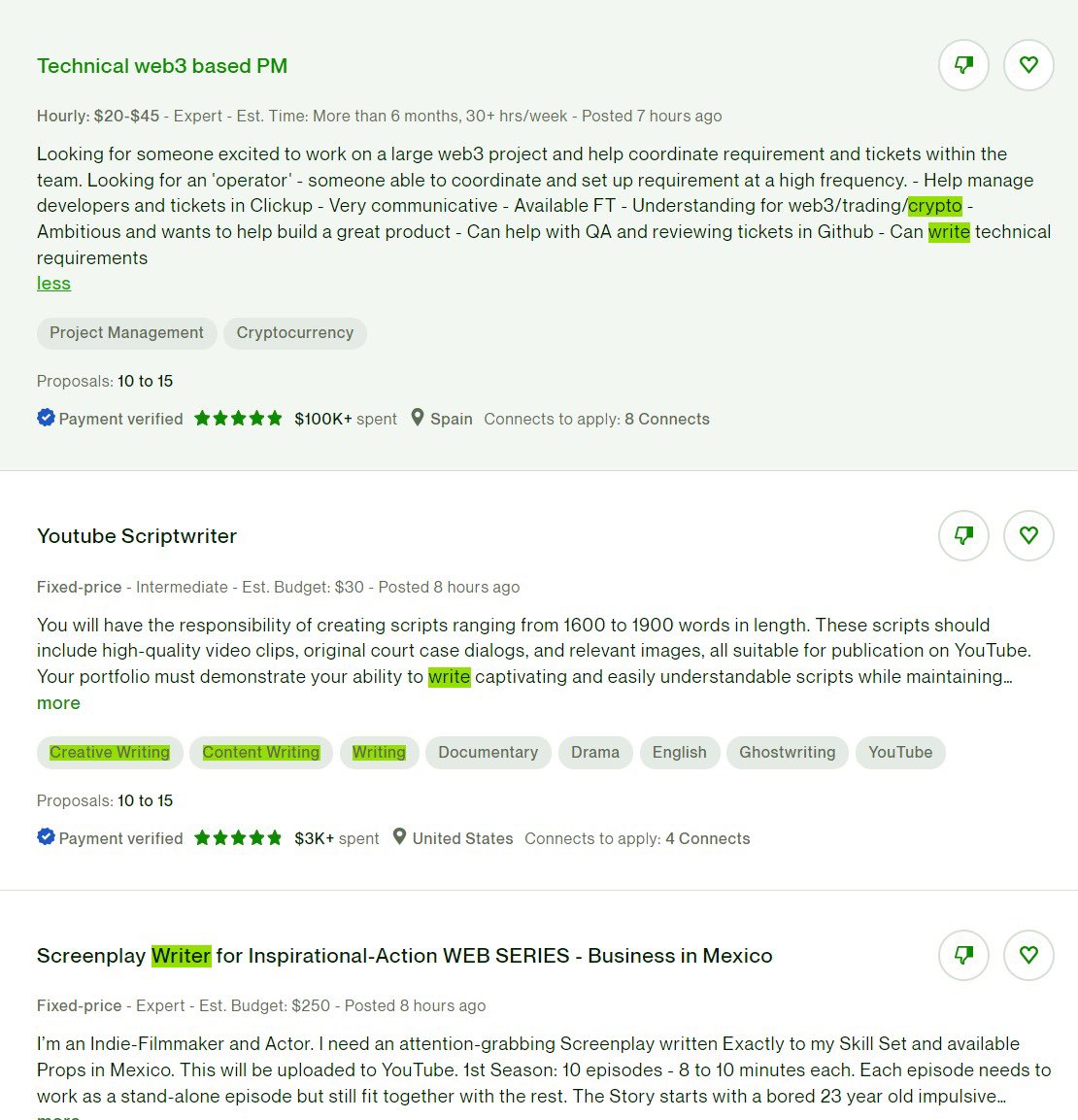
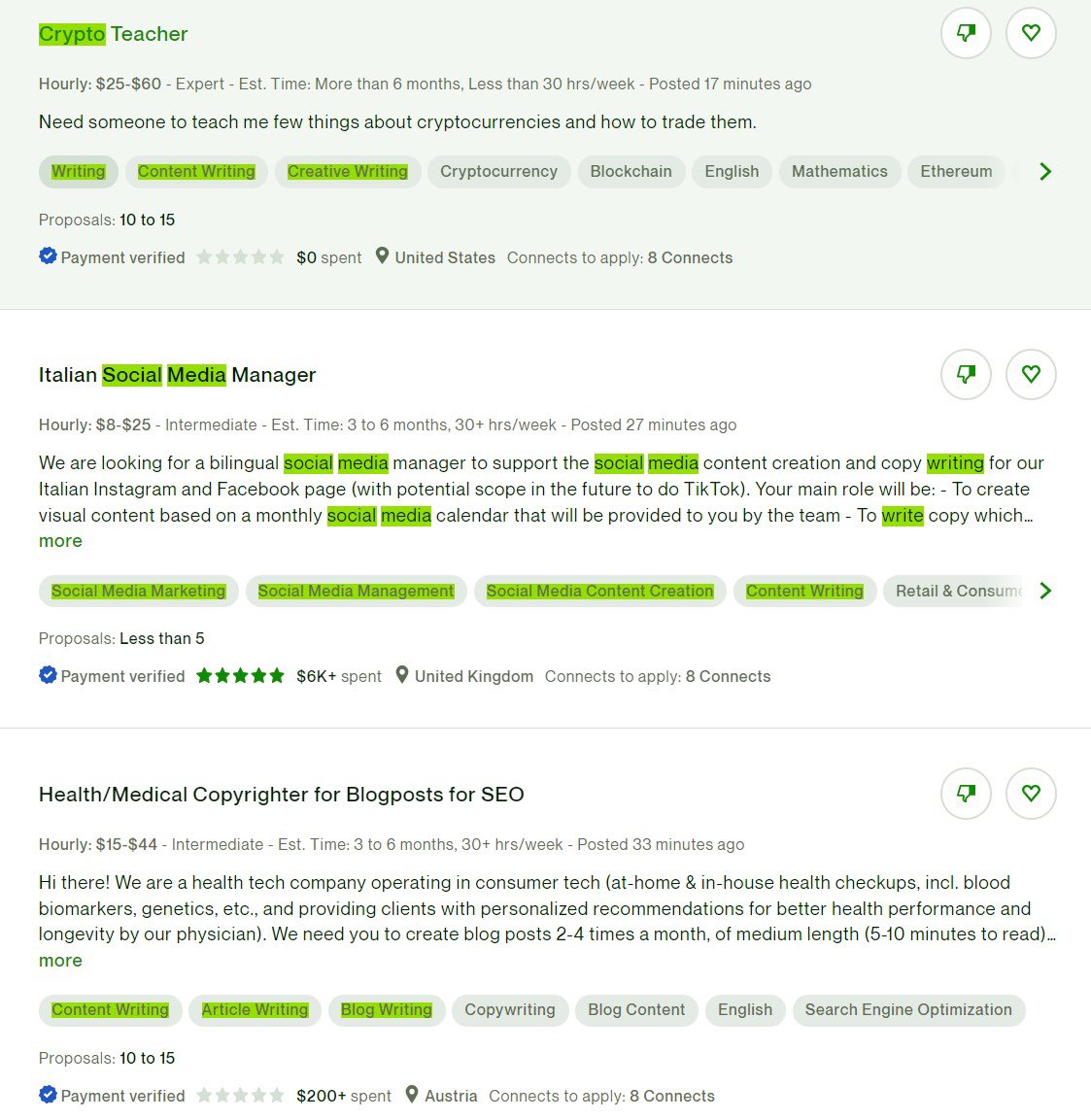
Writer AND script
writer AND crypto
writer AND “social media”
The NOT or minus sign (-) operator is a Boolean operator used to exclude particular keywords you don’t want in your search results.
Some search engines don’t support the NOT operator so I prefer using the minus - sign.
I can type:
"content writer" -igaming -casino -gambling -ai -chatgpt
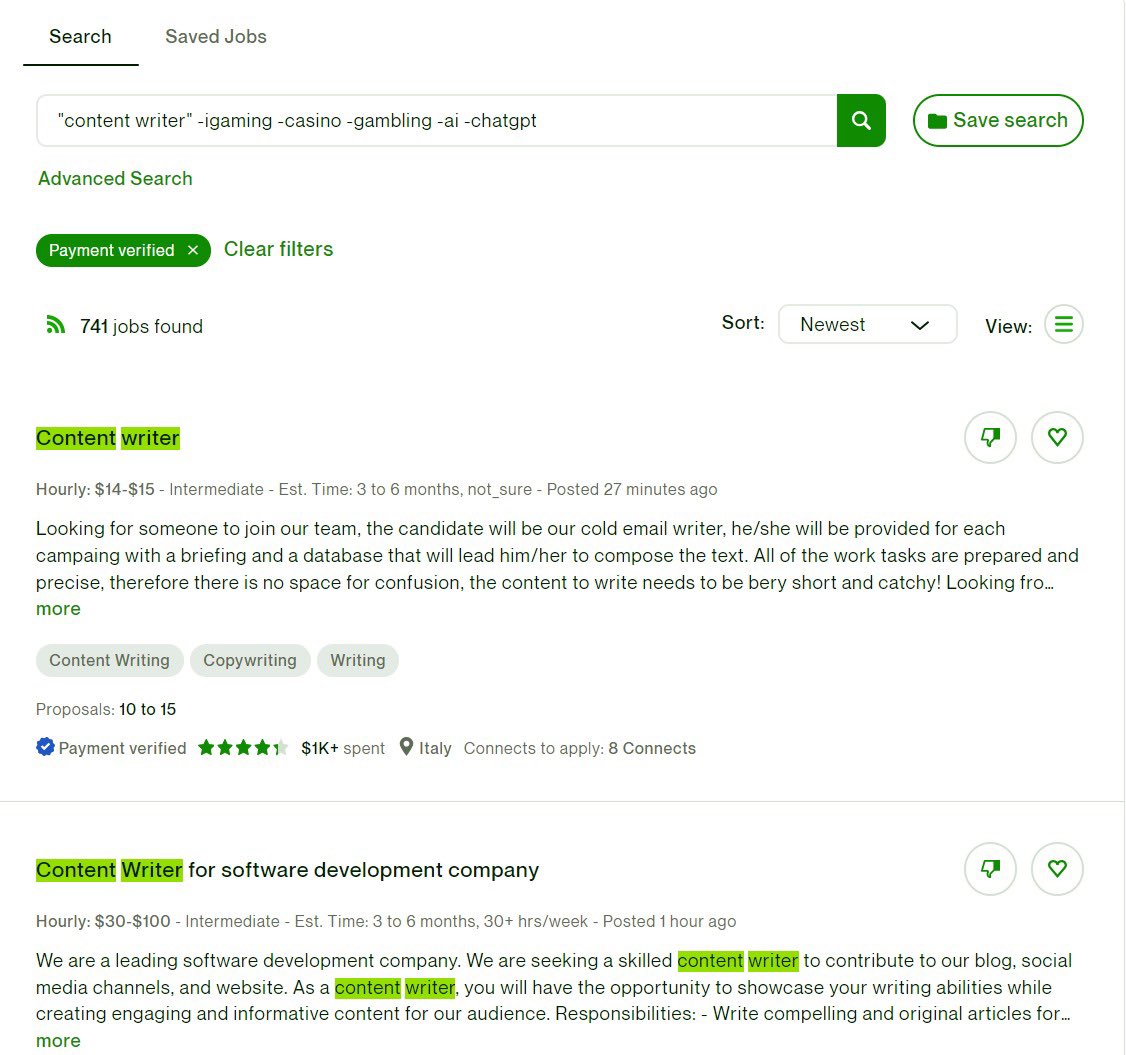
Sweet right?!
The site: operator is very easy to use and is mostly used on Google.
It basically tells the search engine to limit the search results to a particular website.
E.g if I was a client and I wanted to find a crypto writer on LinkedIn through Google.
“Crypto writer” site: LinkedIn.com
The results will show anything (profile, company pages, jobs, groups) containing “crypto writer” on LinkedIn.
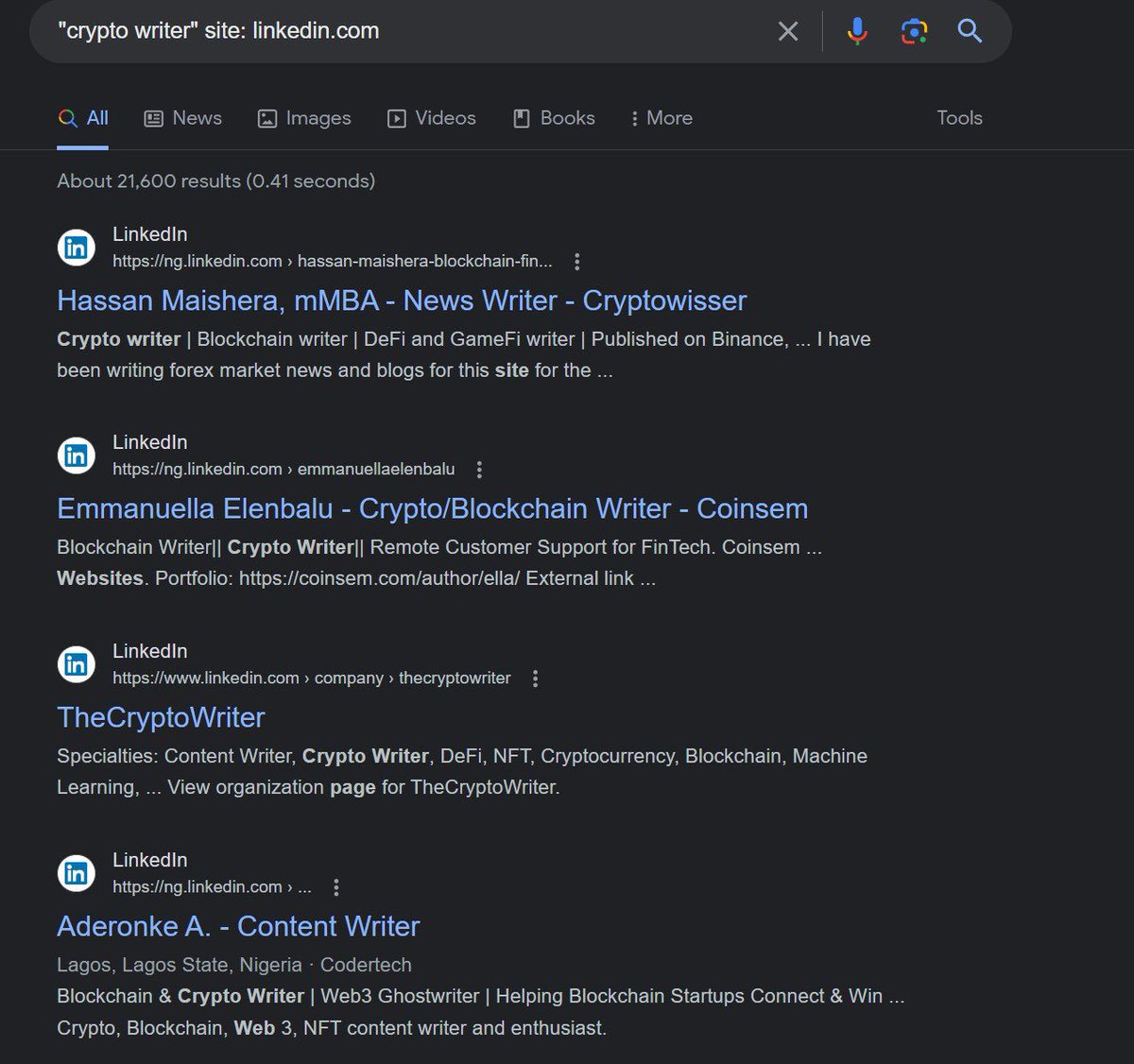
The site: operator only makes sense on huge encompassing search engines like Google.
Make sure to save each search string that gives you the kind of results you want.
On Upwork, click ‘Save search’
You may need to hit the search button several times when you put a new string especially on platforms like Upwork.
These boolean operators work on most platforms with search engines.
You can also use them to find company pages, groups, recruiter profiles, etc on these platforms…
And not only jobs.
I can type [recruiter AND "software developer" AND hiring]
And then filter the results by ‘People’ and location.

For more tips on succeeding on Upwork, get the Upwork course on my pinned tweet.
And also (Boolean searches part 1) to help someone learn about boolean searches too.
Ciao!
More from this author
Recent Threads
I’ve recently seen a lot of people criticizing smaller indie projects for releasing merchandise or doing kickstarter funding to fund their projects. T...

I compiled all the specific references I noticed in May's moveset! #イニブ #g_bd #g_bdr #GBDR https://t.co/PvNHzH6yj6

taekook taguan ng anak au wherein jk received a surprising gift from their xmas party… [ christmas special 🎄] https://t.co/WY3C450KpV

@HitWithAHeart I hear him before I see him. The weight of his steps on the stairs. Slower than usual. Measured. Like he’s already bracing for whatev...

(1/7) I'm not going to do a full trailer breakdown for Zach Cregger's Resident Evil film, since we have an early form of the script you can place a lo...

Nikola Jokic is 0-6 against 50+ win teams in the playoffs. https://t.co/l5hCeVCoUj

Popular Threads
Ware County, Ga has broken the Dominion algorithm: Using sequestered Dominion Equipment, Ware County ran a equal number of Trump votes and Biden vote...

Here's 40 TikTok hooks that could make you go viral. (Not in any particular order) //THREAD//

Winning the Chevening Scholarship + 12 Strong Samples of the Chevening Essay There are four important Essays on the Chevening Scholarship application...

The ICT Mentorship Core Content Month 1 Summarized: https://t.co/6tXJxPMDhm

1. There are more people added on the list of arrests and executions of famous people but no further intel is available at this time. ARRESTS and EXE...

ICT’s 2022 Mentorship Summarized: https://t.co/zFJCgIfDAR